Plex - Getting Started
How to access
This assumes you've created a Plex.tv account, been invited to my personal Plex server and accepted the invite to it.
Make sure to log in to app.plex.tv with the same email/account as the one you received the invite on.
Once logged in, you should automatically have access to my Plex servers. The primary server should be called Cactflix [Main].
Costs
My Plex server isn't free for me to host. I also spend time making sure it's running optimally and that media is kept up-to-date. I appreciate any help covering said costs. This is completely optional, but very much appreciated :)
@decicus
Liberapay - For recurring payments
Twitch - In case you wanna use your Twitch Prime subscription :)
Vipps (Norwegian payment app): 47634677
Cryptocurrencies:
1PPYK5bJ9TZVfxYBmAPF4Xcb6rHF2sEzzK
Dogecoin: DECicUS4MANNEnWNdjLvxfa3who5DmohG5
Ethereum: 0xE66Ff6B10FC7a77a8e7c4dfEd5Ad122c47D6a777
Transparency
When using my Plex server I will be able to see the following information about you:
Only time I check this information is when I'm going through shows and movies to delete, so that I don't accidentally delete something someone is in the middle of watching.
Location & Performance
The Plex server is located in Germany. Depending on your own location, the server may not perform optimal due to how the internet works.
I also expect you have a decent enough internet connection to handle the streaming. You can turn down the quality if you have issues with buffering.
The server runs on an i7-8700 using the integrated graphics for transcoding (Intel QuickSync).
While the server is usually able to transcode anything up to 1080p with relative ease, it might struggle with 4K / 2160p content. This is especially true if your connection to the server isn't the greatest.
This is also the reason there's not much 4K content on my Plex server.
Whenever possible, I highly recommend using one of the official Plex client apps as it supports "direct streaming" (which helps with performance, speed and quality).
Mobile
Mobile streaming & sync with Plex (at least on Android / iOS) has an additional cost to the company behind the Plex software.
Quote from Plex:
Until the mobile app is unlocked (through an in-app purchase or a Plex Pass subscription), video and music streamed from a Plex Media Server has a 1 minute limit, and photos will be watermarked.
The in-app purchase is one-time cost of 5 USD, which you have to pay through the Android / iOS app.
Plex has guides on how to do this for both Android and iOS:
Alternatively, you pay 5 USD per month for Plex Pass, but that's unnecessary if you only need access on mobile.
If you only plan to watch Plex via the browser, desktop app or a TV, then there should be no additional cost.
If you want to read more about this particular topic, I suggest you read this support article: Plex Support | Plex: Free vs. Paid
Suggestions / Requests
If you want to request something (TV show / movie), then see: Plex - Requesting Media
For any other questions / inquiries:
No guarantees that I can get what you want, but I'll try (as long as it's a reasonable request). :)
Tips when getting started with Plex
For all of these tips, make sure you have already logged in on app.plex.tv.
Disabling junk
I recommend disabling all the extra "Online media sources", since I just find them cluttering the Plex interface: https://app.plex.tv/desktop#!/settings/online-media-sources
Default quality
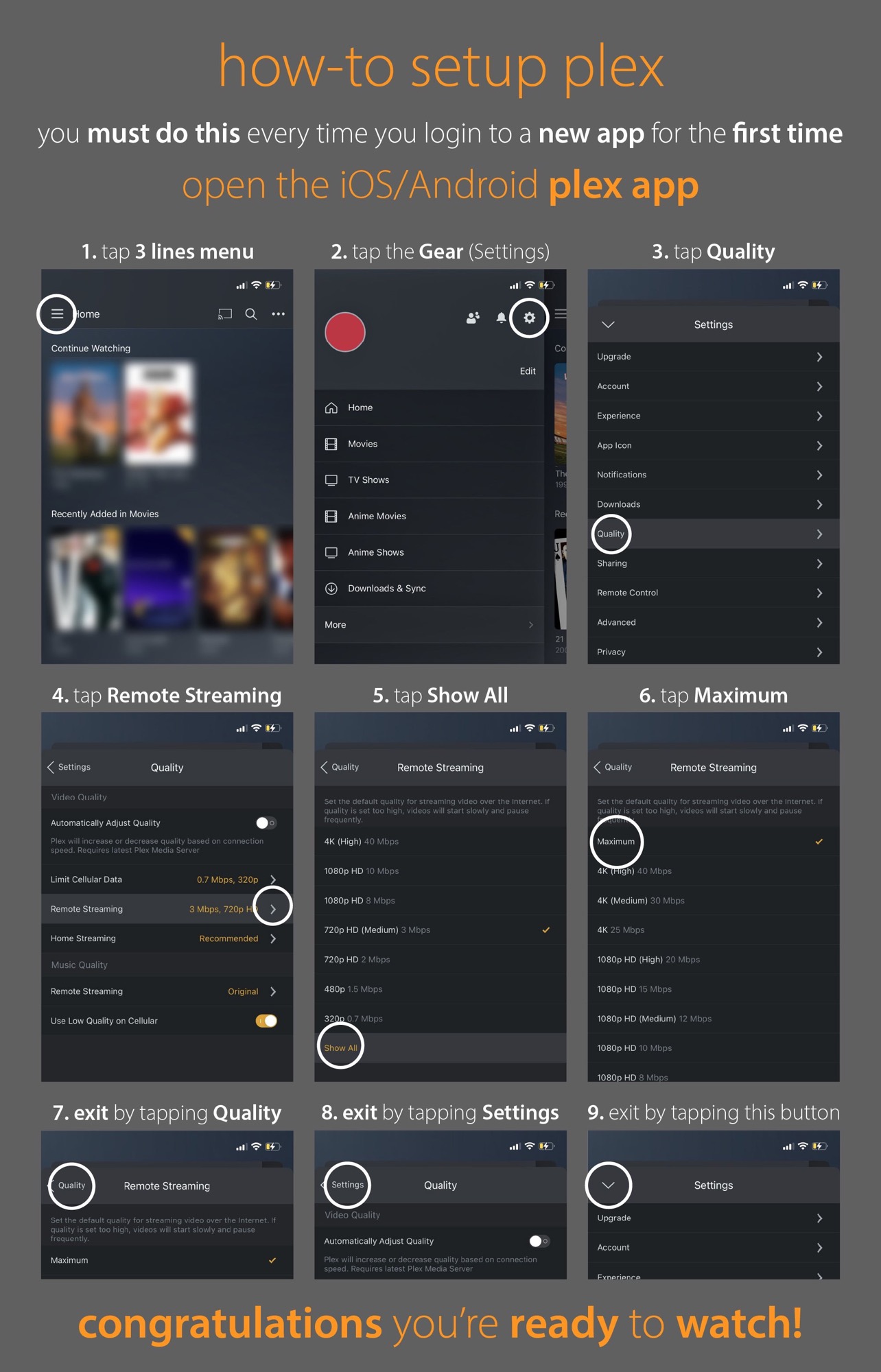
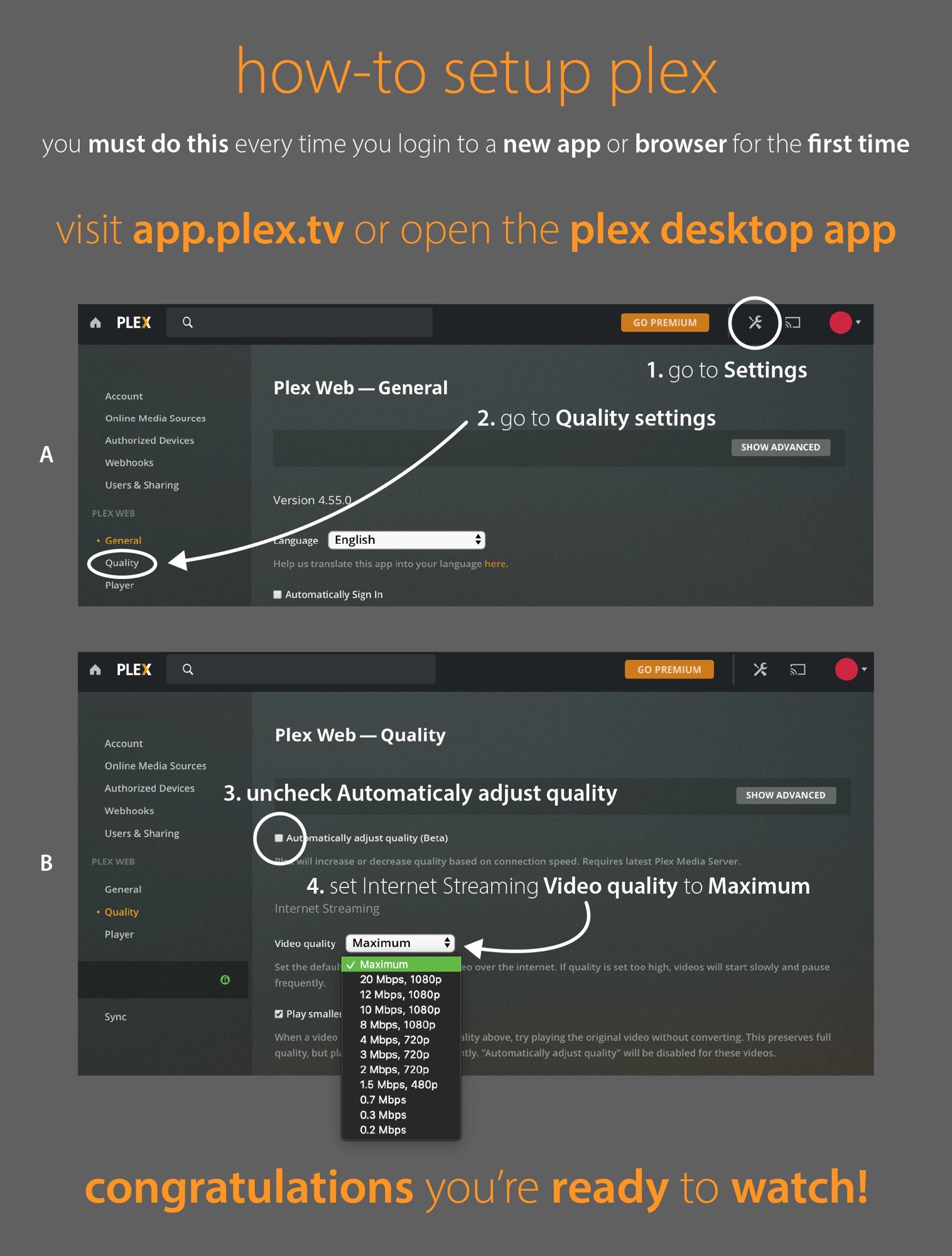
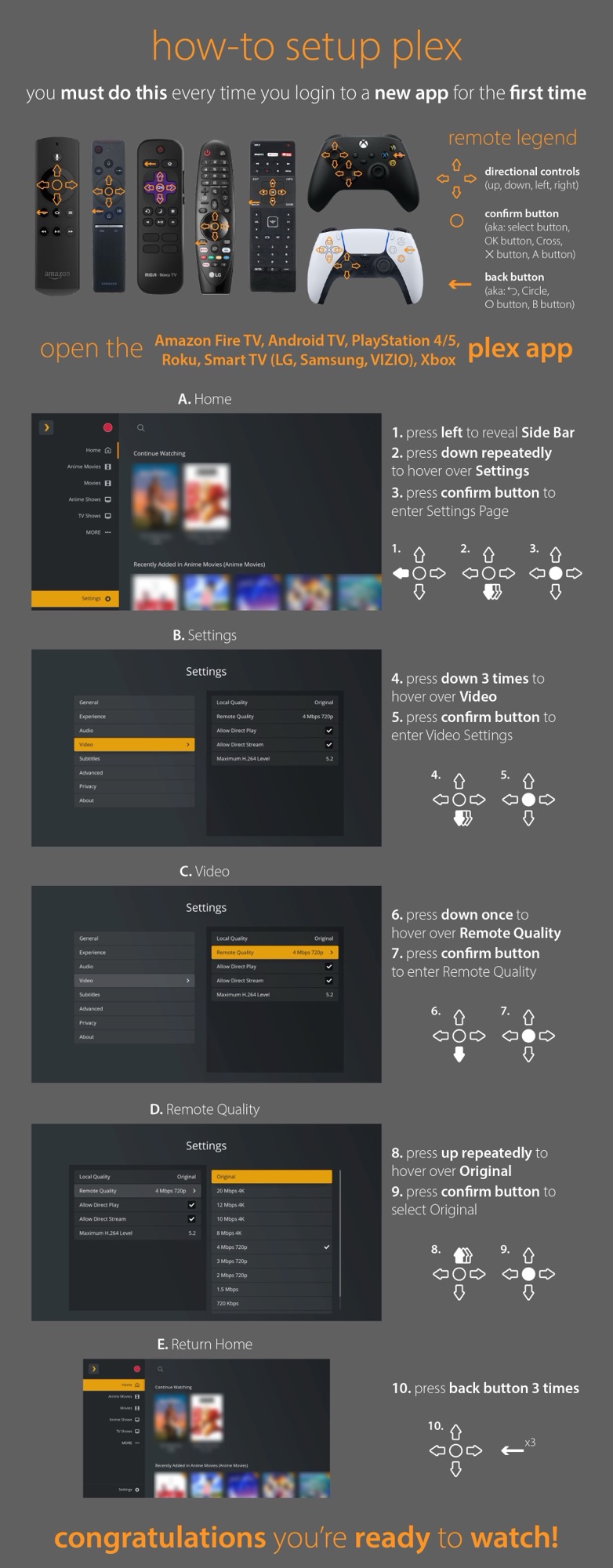
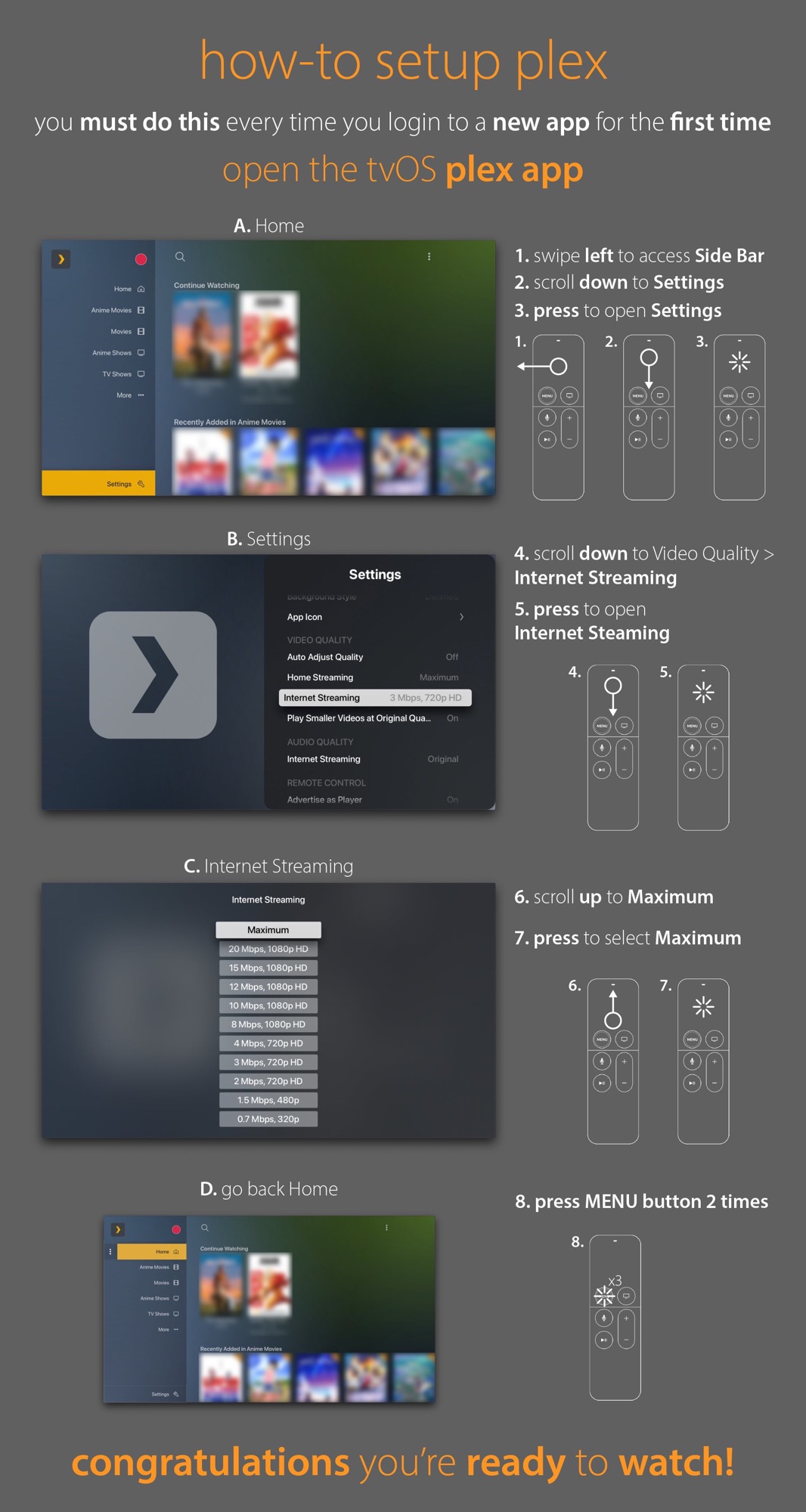
For every device you log into (your phone, different web browsers, the official Plex client etc.) you should set the default quality to "Maximum" as long as your connection to the Plex server is good enough.
Web browser / Desktop app
This setting is available on this page: https://app.plex.tv/desktop/#!/settings/web/quality
Amazon Fire / Android TV, Consoles, Roku
Apple TV / tvOS
Android & iOS (iPhone / iPad)